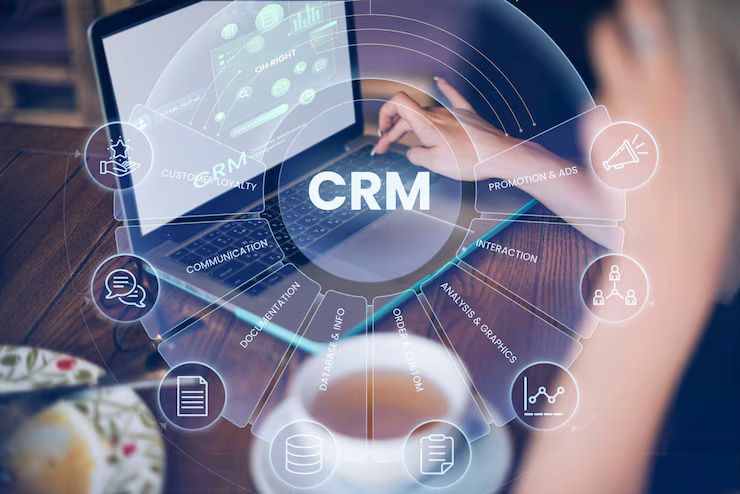
CRM (Customer Relationship Management) software is a digital system designed to help businesses manage customer data, interactions, sales processes, and long-term relationships. It centralizes information related to leads, customers, communication history, and transactions, allowing organizations to operate more efficiently and deliver consistent customer experiences.
CRM software exists to address the growing complexity of customer interactions across channels such as email, phone, social media, websites, and in-person communication. As businesses scale and customer expectations increase, CRM systems have become essential tools for managing relationships, improving productivity, and supporting data-driven decision-making.
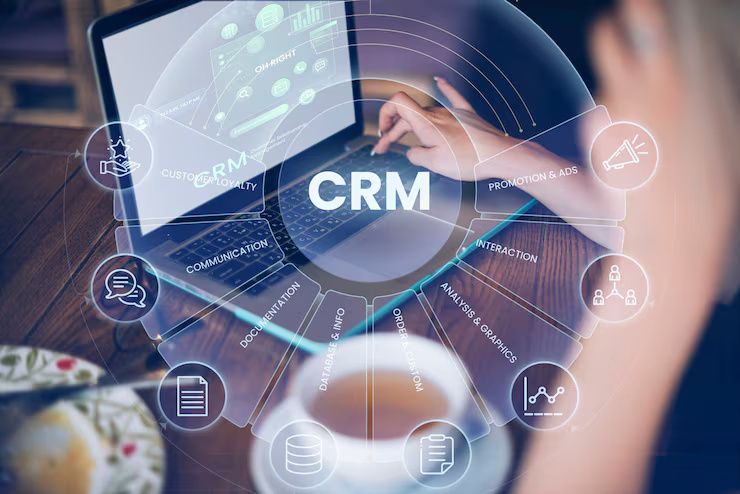
Context: What CRM Software Is and Why It Exists
In the past, businesses relied on spreadsheets, paper records, and disconnected tools to track customer information. These methods were prone to errors, data duplication, and inefficiencies. As customer bases expanded and digital communication increased, organizations needed centralized platforms to manage interactions effectively.
CRM software exists to:
-
Organize customer data in one place
-
Track sales and communication history
-
Improve collaboration across teams
-
Automate routine business tasks
-
Support customer retention and growth
Modern CRM platforms combine data management, automation, analytics, and communication tools to support customer-focused business operations.
Importance: Why CRM Software Matters Today
CRM software plays a critical role in modern business operations across industries.
Key Reasons CRM Software Is Important
1. Customer Data Centralization
Provides a single source of truth for customer information.
2. Sales Process Optimization
Improves lead tracking and deal management.
3. Improved Customer Experience
Enables timely and personalized communication.
4. Operational Efficiency
Reduces manual data entry and repetitive tasks.
5. Business Growth Support
Provides insights for strategic planning.
This topic is relevant to small businesses, enterprises, sales teams, marketing professionals, customer support teams, business owners, and IT managers.
Recent Updates: CRM Software Trends (2024–2025)
CRM platforms continue to evolve with technology and business needs.
1. AI-Powered CRM Systems
Predictive sales forecasting and automated insights.
2. Omnichannel Communication Integration
Email, chat, social media, and voice in one platform.
3. Automation and Workflow Management
Streamlined lead nurturing and follow-ups.
4. Cloud-Based CRM Adoption
Remote access and scalability.
5. Advanced Analytics and Dashboards
Real-time performance tracking.
6. Data Privacy and Security Enhancements
Stronger compliance and encryption features.
Laws & Policies Affecting CRM Software Use
CRM systems are affected by data protection and digital compliance regulations.
Key considerations include:
-
Data privacy and protection laws
-
Customer consent and data usage policies
-
Information security standards
-
Industry-specific compliance requirements
-
Record retention and audit guidelines
Businesses using CRM software must ensure responsible handling of customer data.
Core Features of CRM Software
CRM software includes a range of features designed to support customer-focused operations.
Contact and Lead Management
Stores customer profiles, communication history, and lead data.
Sales Pipeline Management
Tracks opportunities through different sales stages.
Customer Interaction Tracking
Logs calls, emails, meetings, and support tickets.
Marketing Automation
Supports email campaigns and lead nurturing workflows.
Customer Support and Ticketing
Manages service requests and issue resolution.
Analytics and Reporting
Provides insights into sales performance and customer behavior.
Integration Capabilities
Connects with accounting, marketing, and productivity tools.
How CRM Software Works
CRM systems operate by collecting, organizing, and analyzing customer-related data.
-
Customer data is captured from multiple channels
-
Information is stored in centralized databases
-
Sales and support activities are logged automatically
-
Workflows automate follow-ups and tasks
-
Dashboards display performance metrics
-
Reports support decision-making and forecasting
This process enables teams to collaborate using shared, real-time information.
Types of CRM Software
CRM solutions are categorized based on functionality and business focus.
Operational CRM
Focuses on sales, marketing, and service automation.
Analytical CRM
Emphasizes data analysis and reporting.
Collaborative CRM
Improves communication between teams and departments.
Cloud-Based CRM
Hosted online with remote accessibility.
Industry-Specific CRM
Tailored for sectors such as healthcare, real estate, or finance.
CRM Types and Business Use Cases
| CRM Type | Primary Focus | Common Application |
|---|---|---|
| Operational CRM | Process automation | Sales and marketing |
| Analytical CRM | Data insights | Business intelligence |
| Collaborative CRM | Team communication | Customer service |
| Cloud CRM | Scalability | Remote teams |
| Industry CRM | Custom workflows | Specialized sectors |
Business Applications of CRM Software
CRM systems are used across various business functions.
Sales Management
Lead tracking, deal forecasting, and performance analysis.
Marketing Campaign Management
Targeted campaigns and customer segmentation.
Customer Support
Ticket resolution and service history tracking.
Account Management
Managing long-term client relationships.
Business Analytics
Understanding customer trends and behavior.
E-Commerce and Retail
Customer engagement and repeat purchases.
Benefits of Using CRM Software
Improved Customer Relationships
Consistent and personalized interactions.
Increased Sales Productivity
Better pipeline visibility.
Data-Driven Decision-Making
Accurate insights and forecasting.
Enhanced Team Collaboration
Shared access to customer data.
Scalable Business Operations
Supports growth without complexity.
Challenges & Considerations
Implementing CRM software requires planning and change management.
-
Initial setup and configuration time
-
User adoption and training needs
-
Data migration challenges
-
Integration with existing systems
-
Ongoing maintenance and updates
Clear objectives help overcome these challenges.
How to Choose the Right CRM Software
Assess Business Needs
Sales, marketing, or support focus.
Evaluate Ease of Use
User-friendly interface.
Check Customization Options
Adapt workflows to business processes.
Review Integration Capabilities
Compatibility with existing tools.
Consider Scalability
Support future growth.
Ensure Data Security
Strong privacy and protection features.
Best Practices for CRM Implementation
-
Define clear goals and KPIs
-
Clean and organize data before migration
-
Provide user training and onboarding
-
Start with essential features
-
Monitor usage and performance
-
Continuously refine workflows
Proper implementation maximizes CRM value.
Frequently Asked Questions
1. What is CRM software used for?
To manage customer data, sales, marketing, and support activities.
2. Is CRM software only for large businesses?
No, it is widely used by small and medium businesses as well.
3. Can CRM software improve customer retention?
Yes, by enabling personalized communication and timely follow-ups.
4. Is cloud-based CRM secure?
Most platforms offer strong security and compliance measures.
5. How long does CRM implementation take?
It varies from days to weeks, depending on complexity.
Conclusion
CRM software is a foundational tool for modern businesses seeking to manage customer relationships efficiently and strategically. By centralizing data, automating workflows, and providing actionable insights, CRM systems support sales growth, customer satisfaction, and operational efficiency.
Understanding CRM features, types, applications, regulatory considerations, and best practices helps organizations select and implement solutions that align with their business goals. As customer expectations and digital interactions continue to grow, CRM software will remain essential for sustainable business success.