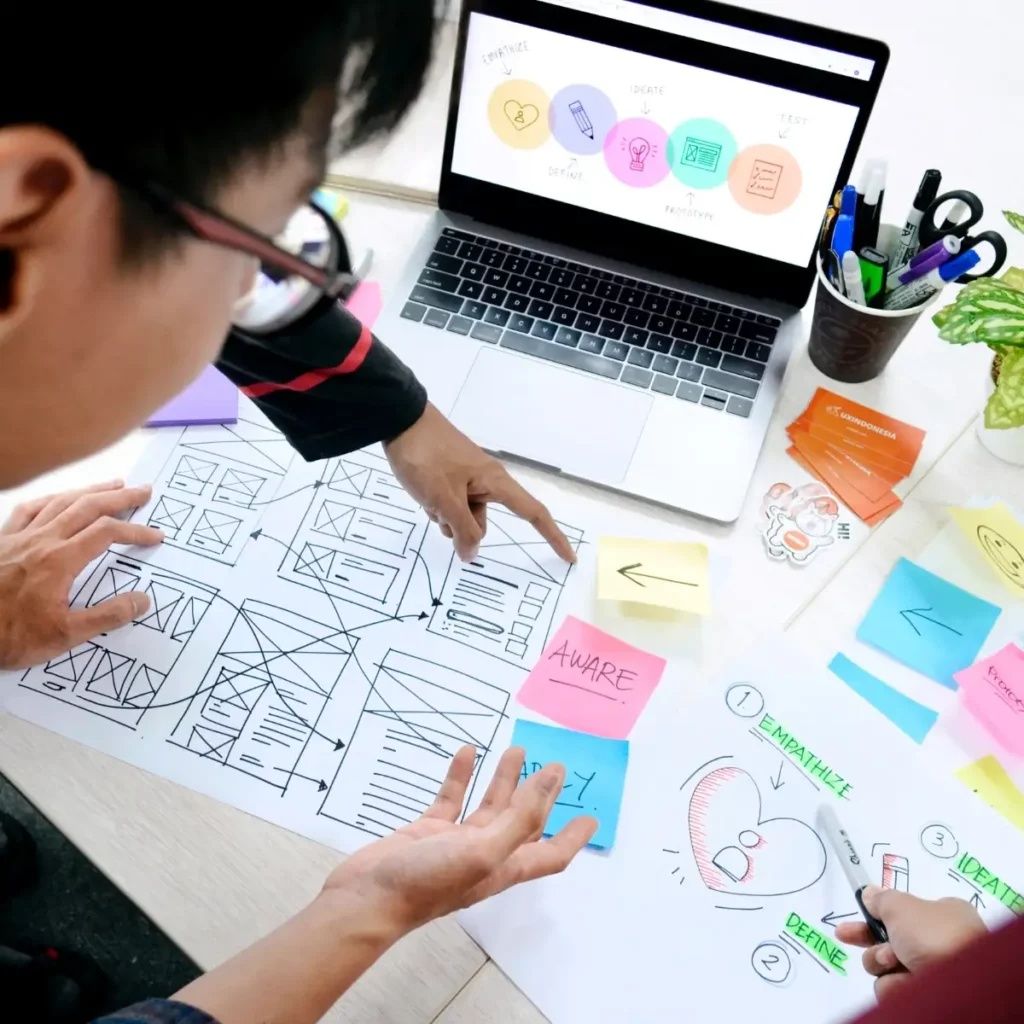
Digital product design refers to the process of creating user-centered digital experiences such as websites, mobile apps, software platforms, and interactive systems. It combines elements of user experience (UX), user interface (UI), research, and technology to build products that are functional, accessible, and easy to use.
This field exists because people increasingly interact with digital platforms in daily life. From communication apps to online banking and education tools, digital products shape how users perform tasks and access information. As a result, thoughtful design becomes essential to ensure clarity, usability, and efficiency.
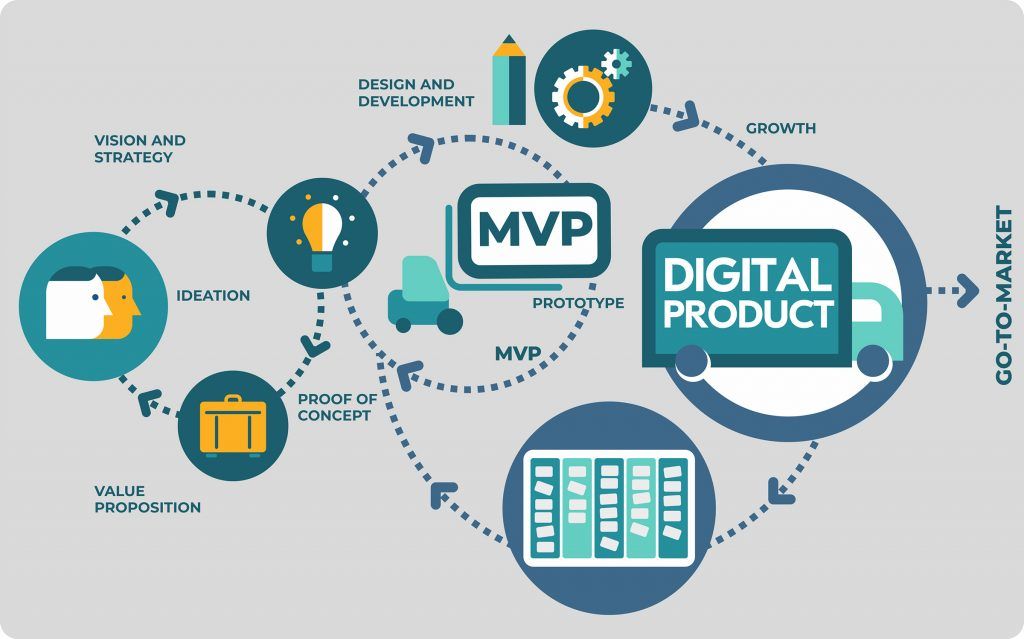
At its core, digital product design focuses on solving user problems through structured design thinking. This involves understanding user behavior, defining challenges, prototyping ideas, and testing solutions before development.
Key components include:
- User research and behavior analysis
- Information architecture and content structure
- Wireframing and prototyping
- Visual design and branding consistency
- Usability testing and iteration
A simple overview of the process can be shown below:
| Stage | Purpose | Output Example |
|---|---|---|
| Research | Understand users and needs | Personas, insights |
| Define | Identify key problems | Problem statements |
| Design | Create solutions | Wireframes, mockups |
| Test | Validate usability | Feedback reports |
| Iterate | Improve continuously | Updated designs |
This structured approach helps teams build products that align with user expectations and business goals.
Importance – Why Digital Product Design Matters
Digital product design plays a significant role in shaping how users interact with technology. Poor design can lead to confusion, frustration, and reduced engagement, while effective design improves usability, accessibility, and overall satisfaction.
This topic matters today because digital products are used across industries such as education, healthcare, finance, and e-commerce. It affects:
- Businesses aiming to improve user retention and engagement
- Designers and developers building user-friendly interfaces
- End users who rely on digital platforms for daily tasks
Some common problems that digital product design helps solve include:
- Complex navigation and unclear user flows
- Inconsistent layouts and visual confusion
- Low accessibility for diverse users
- Inefficient task completion
A well-designed product reduces cognitive load, meaning users can complete tasks with less effort. It also improves accessibility, ensuring that individuals with different abilities can interact with digital systems.
Key benefits include:
- Better user satisfaction and trust
- Increased efficiency in task completion
- Reduced errors and confusion
- Improved performance metrics such as engagement time
A comparison of poor vs effective design highlights its impact:
| Aspect | Poor Design | Effective Design |
|---|---|---|
| Navigation | Confusing, cluttered | Clear, intuitive |
| Visual Layout | Inconsistent | Structured and balanced |
| Accessibility | Limited usability | Inclusive and adaptable |
| User Experience | Frustrating | Smooth and efficient |
Recent Updates – Trends and Developments
Digital product design continues to evolve with advancements in technology and changing user expectations. Over the past year, several trends have influenced how designers approach digital experiences.
One major development is the increased use of artificial intelligence in design workflows. AI-powered tools now assist with layout suggestions, content generation, and usability testing, allowing designers to work more efficiently.
Another important trend is the focus on accessibility-first design. Designers are prioritizing inclusive practices such as:
- Color contrast optimization
- Screen reader compatibility
- Keyboard navigation support
There has also been growth in design systems and component libraries. These systems help maintain consistency across products by providing reusable design elements.
Additional trends include:
- Voice and gesture-based interfaces
- Micro-interactions for better feedback
- Minimalist and clean UI layouts
- Dark mode and adaptive themes
Remote collaboration tools have also improved, enabling distributed teams to work together on design projects in real time.
These updates reflect a shift toward more user-centered, scalable, and efficient design practices.
Laws or Policies – Regulatory Influence on Design
Digital product design is influenced by various rules and policies that focus on user privacy, accessibility, and data protection. These regulations ensure that digital platforms are safe, transparent, and inclusive.
Key areas affected by policies include:
- Data privacy and user consent
- Accessibility standards for digital platforms
- Ethical use of user data
- Transparency in design practices
For example, privacy regulations require designers to clearly communicate how user data is collected and used. This has led to the inclusion of consent forms, privacy dashboards, and clear user controls.
Accessibility guidelines emphasize that digital products should be usable by people with different abilities. Designers often follow established standards to ensure compliance.
Important considerations include:
- Providing alternative text for images
- Ensuring readable font sizes
- Designing for multiple input methods
Failure to consider these policies can result in limited usability or restricted access to digital services.
Tools and Resources – Helpful Platforms and Utilities
Digital product design relies on a variety of tools that support different stages of the design process. These tools help with research, prototyping, collaboration, and testing.
Common categories of tools include:
Design and Prototyping Tools
- Figma
- Adobe XD
- Sketch
User Research and Testing Tools
- Hotjar
- Maze
- UsabilityHub
Collaboration and Documentation Tools
- Notion
- Miro
- Confluence
Design System and UI Libraries
- Material Design guidelines
- Human Interface Guidelines
Additional helpful resources:
- UX writing templates
- Wireframe kits
- Accessibility checkers
- Color contrast tools
A simple comparison of popular tools:
| Tool | Primary Use | Key Feature |
|---|---|---|
| Figma | UI/UX design | Real-time collaboration |
| Adobe XD | Prototyping | Interactive design flows |
| Sketch | Interface design | Vector-based editing |
| Miro | Brainstorming | Visual collaboration boards |
Using the right combination of tools improves efficiency and ensures better design outcomes.
FAQs – Common Questions About Digital Product Design
What is the difference between UX and UI design?
UX design focuses on the overall user experience, including usability and functionality. UI design deals with the visual aspects such as layout, colors, and typography.
Do you need coding knowledge for digital product design?
Coding knowledge is not always required, but understanding basic concepts like HTML, CSS, and responsive design can improve collaboration with developers.
What are wireframes in design?
Wireframes are simple layouts that outline the structure of a digital product. They help designers plan content placement and user flow before adding visual details.
How long does it take to design a digital product?
The timeline depends on complexity. Small projects may take a few weeks, while larger systems can require several months of research, design, and testing.
What makes a good digital product design?
A good design is user-friendly, accessible, visually consistent, and efficient. It solves user problems while providing a smooth and intuitive experience.
Conclusion
Digital product design is an essential discipline that shapes how users interact with modern technology. By combining research, usability principles, and visual design, it helps create products that are both functional and engaging.
As digital platforms continue to expand, the importance of clear, accessible, and user-focused design will remain strong. Understanding the basics, staying updated with trends, and using the right tools can help designers and teams build effective digital experiences.