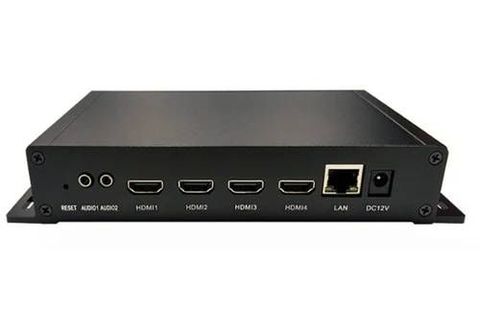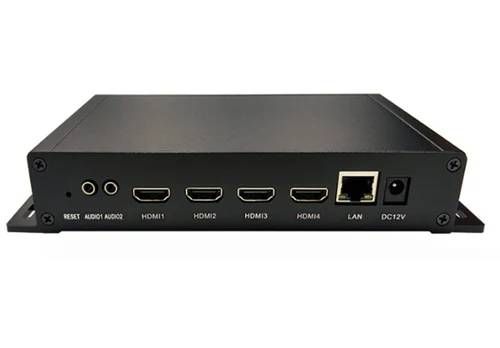
Modern video systems often need to move high-resolution HDMI signals across networks without overwhelming available bandwidth.
An H265 HDMI video encoder addresses this requirement by converting an HDMI source into a compressed digital stream that can be transported, recorded, distributed, or processed through compatible network infrastructure.
The growing use of 4K cameras, professional displays, live production systems, lecture capture, digital signage, and remote video workflows has made efficient encoding increasingly important. Higher resolutions create more visual data, while network environments still have practical bandwidth limitations.
Understanding the complete encoding workflow helps explain where an H.265 encoder fits, how compression affects video quality, which connections matter, and what factors influence real-world performance. The encoder itself is only one component of a larger signal-processing chain.
Where an H265 HDMI Encoder Fits in a Video Workflow
An HDMI encoder sits between a video source and the destination system that needs to receive or process the signal. The source might be a camera, computer, media player, game system, presentation computer, or production switcher.
The encoder receives the HDMI signal and processes its video information using the H.265 compression standard, also known as High Efficiency Video Coding or HEVC. The resulting encoded stream can then be transmitted over an IP network or stored for later use, depending on the device and workflow.
A simplified workflow looks like this:
HDMI source → H.265 encoding → network transport or recording → decoding or playback → display
This arrangement separates the original video signal from the compressed stream. The HDMI connection handles the source signal, while the encoded output is designed for network-oriented distribution or storage.
Why H.265 Can Improve Encoding Efficiency
Video compression works by reducing redundant information while preserving visual information that matters to the viewer. H.265 was developed to achieve greater compression efficiency than earlier standards such as H.264.
This efficiency becomes particularly relevant as video resolution increases. A 4K signal contains substantially more image information than a Full HD signal, creating greater demands on transmission and storage systems.
H.265 uses techniques such as larger coding tree units, improved motion compensation, intra-frame prediction, and more sophisticated prediction structures. These mechanisms allow the encoder to represent visual information more efficiently.
However, compression efficiency involves trade-offs. More advanced encoding can require greater processing resources, and the actual result depends on encoder hardware, configuration, source content, bitrate, frame rate, and other parameters.
Understanding the HDMI-to-IP Encoding Process
The encoding workflow involves several distinct stages.
First, the HDMI interface receives the source video. The encoder must correctly recognize the incoming resolution, frame rate, color characteristics, and associated audio information.
The processing stage then prepares the signal for compression. The encoder analyzes individual frames and relationships between frames to determine how the video can be represented with fewer bits.
During H.265 encoding, frames can be handled as complete images or referenced against other frames. When a scene contains limited movement, considerable information can be represented efficiently because much of the image remains similar between frames.
After compression, the resulting video stream is packaged for transmission. Depending on the encoder, supported protocols may include common IP-based streaming methods used in professional audiovisual environments.
The receiving system then decodes the compressed stream before presenting it on a display or processing it within another application.
Resolution, Frame Rate, and Bitrate Must Work Together
One of the most important aspects of an efficient encoding workflow is understanding how resolution, frame rate, and bitrate interact.
Resolution determines the number of pixels represented in each frame. Frame rate determines how frequently those frames are transmitted. Bitrate determines how much data is allocated to represent the encoded video over time.
A higher resolution combined with a higher frame rate generally creates a greater encoding workload. Increasing bitrate can preserve more visual detail, but it also increases network and storage requirements.
For example, a static presentation screen may compress efficiently because large areas remain unchanged. A fast-moving sports scene or detailed camera feed can be more difficult to compress because visual information changes rapidly from frame to frame.
This means there is no single bitrate that produces the same result for every application. Encoder configuration should reflect the characteristics of the actual content.
Latency Matters in Real-Time Video
Encoding efficiency is only one part of performance. Latency can be equally important when video must remain synchronized with real-world events.
Latency represents the delay between the original HDMI signal and the corresponding decoded image at the destination.
For applications such as digital signage, remote monitoring, or recorded presentations, some delay may have little practical impact. Interactive environments are different. Live production, remote control, gaming, and two-way communication may require much tighter timing.
Several stages can contribute to latency, including:
- Frame buffering
- Video encoding
- Network transmission
- Stream buffering
- Video decoding
- Display processing
Encoder settings can influence this pipeline. A configuration optimized for compression efficiency may behave differently from one designed for low-latency transmission.
Audio and Video Synchronization
An HDMI signal commonly contains both video and audio. An encoding workflow therefore needs to handle these components correctly when synchronized playback is required.
The encoder may extract the embedded HDMI audio, encode it using a supported audio format, and package it alongside the video stream.
Synchronization depends on accurate timestamps and consistent processing through the entire transmission chain. If buffering or processing introduces different delays between audio and video, the receiving system may experience noticeable lip-sync problems.
This is particularly relevant for lectures, conferences, interviews, live events, and broadcast-style production where spoken audio must remain aligned with the image.
Network Infrastructure Has a Major Role
Once video has been encoded, the network becomes part of the video system. An efficient H.265 stream can reduce bandwidth requirements, but the network still needs sufficient capacity and stability.
Network congestion can produce packet loss, interruptions, increased latency, or degraded playback. Wired Ethernet is often preferred for demanding professional workflows because it provides predictable connectivity and avoids some of the variability associated with wireless environments.
The network architecture should also account for the number of simultaneous streams. One encoded stream may place modest demands on infrastructure, while dozens or hundreds of concurrent streams require more deliberate capacity planning.
For larger installations, multicast capability, switching architecture, traffic management, and network segmentation can become important considerations.
Choosing Encoding Settings for the Content
Encoding settings should be selected according to the intended workflow rather than simply maximizing every available specification.
A presentation containing slides and text has different requirements from a rapidly moving camera feed. Fine text may require sufficient bitrate to remain readable, while high-motion content may benefit from different compression settings.
Key considerations include:
Resolution: Determines the spatial detail represented by each frame.
Frame rate: Influences motion smoothness and the amount of video data generated.
Bitrate: Controls the amount of data allocated to the compressed stream.
Rate control: Determines how the encoder manages bitrate over time.
Keyframe interval: Affects stream recovery, seeking, and some distribution workflows.
Latency settings: Influence buffering and responsiveness.
The appropriate balance depends on whether the priority is image detail, bandwidth efficiency, responsiveness, or a combination of these factors.
Common Applications for H265 HDMI Encoding
H.265 HDMI encoding can support a wide range of professional and institutional workflows.
In live production, an HDMI source can be encoded for network distribution to monitoring stations or production systems.
In education, classroom or lecture signals can be transmitted to recording platforms or distributed across an institutional network.
In corporate environments, presentations and meeting-room video can be transported between locations or integrated with centralized audiovisual systems.
In digital signage, encoded video can be distributed to network-connected playback systems without requiring a dedicated direct HDMI connection to every destination.
In remote video workflows, encoding allows HDMI sources to become accessible through IP-based infrastructure, enabling centralized monitoring and distribution.
The exact application depends on the encoder's supported resolutions, protocols, interfaces, and management capabilities.
Common Workflow Challenges
A technically capable encoder does not automatically guarantee a reliable video system. Problems can occur at several points in the signal chain.
HDMI compatibility issues may arise when the source and encoder use different supported formats. Resolution or refresh-rate mismatches can prevent the signal from being accepted correctly.
Network problems can create interruptions even when the encoding configuration is appropriate. Insufficient bandwidth, congestion, packet loss, and poorly configured switches can all affect playback.
Encoding settings can also create problems. Excessive compression may introduce visible artifacts, while unnecessarily high bitrate settings can consume network capacity without providing meaningful visual improvement.
For this reason, testing should consider the entire workflow rather than evaluating the encoder in isolation.
Building an Efficient Encoding Workflow
An effective H.265 workflow begins with a clear understanding of the source signal and destination requirements.
First, establish the required resolution and frame rate. Next, determine the acceptable latency and available network capacity. Encoding parameters can then be selected around those constraints.
Testing should include the actual type of content expected during normal operation. Static slides, detailed graphics, talking-head video, and fast motion can produce noticeably different encoding behavior.
Monitoring should also extend beyond image quality. Network utilization, stream stability, audio synchronization, latency, and decoder compatibility all contribute to the practical quality of the system.
The most efficient workflow is therefore not necessarily the one using the strongest compression. It is the configuration that delivers the required visual quality and responsiveness while remaining stable within the available infrastructure.
Frequently Asked Questions
What does an H265 HDMI video encoder do?
It receives an HDMI video signal and compresses it using the H.265/HEVC standard so the resulting stream can be transmitted, distributed, or recorded through compatible systems.
Is H.265 suitable for 4K video?
Yes. H.265 is widely associated with high-resolution video workflows because its compression design can represent high-resolution content more efficiently than earlier standards under suitable encoding conditions.
Does H.265 always use less bandwidth than H.264?
Not automatically. H.265 is designed for improved compression efficiency, but actual bandwidth depends on encoder settings, content complexity, resolution, frame rate, quality targets, and implementation.
What causes delay in an HDMI encoding workflow?
Delay can come from encoding, buffering, network transmission, decoding, and display processing. Configuration choices and network conditions can significantly influence overall latency.
Conclusion
An H265 HDMI video encoder provides a bridge between conventional HDMI sources and modern IP-based video workflows. By compressing high-resolution video into an efficient digital stream, it can help systems distribute, record, and process audiovisual content across network infrastructure.
Efficient encoding depends on more than selecting H.265. Resolution, frame rate, bitrate, latency, audio synchronization, network capacity, and decoder compatibility all need to work together. When these elements are planned as one workflow, the encoder becomes part of a reliable video transport system rather than an isolated piece of hardware.