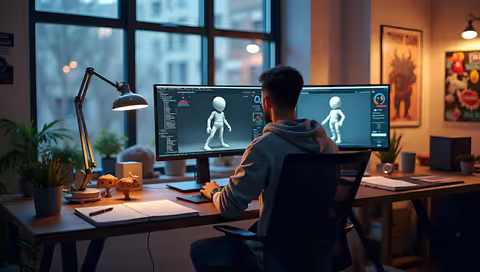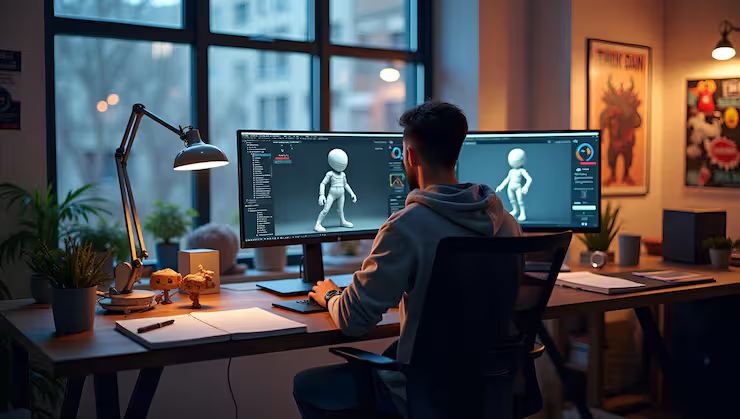
Animation software helps users create moving visuals by combining drawings, illustrations, models, images, and other digital elements. It is widely used in filmmaking, gaming, advertising, education, product visualization, social media content, and digital storytelling. From simple animated presentations to complex three-dimensional scenes, animation tools allow creators to turn ideas into visual experiences.
As digital content continues to expand across different industries, animation software has become useful for beginners, independent creators, designers, educators, and professional production teams. Some applications focus on traditional frame-by-frame drawing, while others specialize in 3D modeling, motion graphics, character animation, or automated animation workflows.
Choosing suitable animation software requires understanding the type of animation a project needs, the user's experience level, the available hardware, and the desired output. Learning about these factors helps users select tools that match their creative goals without becoming overwhelmed by unnecessary features.
What Is Animation Software?
Animation software is a digital application used to create the appearance of movement through a sequence of images, objects, or visual states. Each frame represents a moment in the animation, and displaying frames in sequence creates the impression of motion.
Modern animation applications often use timelines, layers, keyframes, drawing tools, object controls, and rendering systems to organize this process. Depending on the software, users may draw characters, animate text, manipulate digital models, simulate physical effects, or combine several visual elements into a finished production.
For example, an educational creator might animate a diagram to explain how a machine works. A game developer may use animation software to create character movements, while a marketing team might produce an animated explainer video to communicate a process.
Although some applications include automated features, successful animation still depends on planning, timing, composition, movement, and visual clarity.
Main Types of Animation Software
2D Animation Software
Two-dimensional animation uses height and width to create images and movement. It is commonly used for cartoons, educational videos, animated advertisements, explainer content, and digital illustrations.
2D animation software may support frame-by-frame drawing, vector graphics, digital painting, and skeletal animation. Frame-by-frame animation allows artists to draw individual poses, while vector-based animation uses scalable shapes and paths that can be adjusted without losing image quality.
Skeletal animation uses a digital character structure to control movement. Instead of redrawing every part of a character for each frame, the animator can manipulate connected body parts through a rig.
This category can suit beginners and experienced artists, depending on the complexity of the application. Users should consider drawing capabilities, layer management, timeline controls, audio synchronization, and export options when evaluating 2D animation tools.
3D Animation Software
Three-dimensional animation involves objects and environments that have depth in addition to height and width. It is widely used in films, video games, architecture, engineering visualization, product demonstrations, and virtual environments.
A typical 3D workflow may include modeling, texturing, lighting, rigging, animation, and rendering. Modeling creates the objects, texturing defines their surface appearance, and lighting establishes how they look within a scene.
Rigging prepares a character or object for movement by creating a controllable structure. Animators then adjust poses and movement over time, while rendering produces the final images or video.
Three-dimensional animation can require more computing resources and technical knowledge than simpler 2D projects. Beginners may benefit from learning basic modeling, camera positioning, lighting, and keyframe animation before attempting complex scenes.
Motion Graphics Software
Motion graphics focuses on animated text, shapes, symbols, diagrams, and graphic compositions. It is frequently used in title sequences, presentations, social media videos, broadcast graphics, and corporate explainers.
Unlike character-focused animation, motion graphics often emphasizes typography, transitions, visual hierarchy, and the timing of graphic elements.
These tools may include keyframe controls, easing functions, shape animation, masks, compositing, and effects. Easing controls help determine whether movement begins gradually, accelerates, or slows down, making animated elements appear more natural.
Motion graphics software is particularly useful when information must be communicated quickly through a combination of movement and design.
Stop-Motion Animation Software
Stop-motion animation creates movement by photographing physical objects in small increments. When the photographs are played in sequence, the objects appear to move.
Dedicated stop-motion applications can help users capture frames, preview sequences, manage image timing, and synchronize sound. This approach is often used with clay figures, miniature sets, paper cutouts, toys, and other physical materials.
Stop-motion combines digital tools with hands-on creativity. Stable camera positioning, consistent lighting, and careful object movement are important for producing smooth results.
AI-Assisted Animation Software
Some modern animation applications include artificial intelligence features that assist with tasks such as generating initial visual concepts, creating motion suggestions, automating lip synchronization, or simplifying repetitive editing.
These features can help users explore ideas and accelerate selected parts of a workflow. However, their capabilities vary, and generated results may require correction to achieve consistent movement, accurate details, and a coherent visual style.
AI-assisted animation is best understood as a set of supporting capabilities rather than a complete replacement for creative direction, editing, and quality control.
Important Features to Look for in Animation Software
The right features depend on the intended project, but several capabilities are useful across many animation workflows.
Timeline and keyframe controls: Timelines organize animation over time, while keyframes define important changes in position, rotation, scale, opacity, or other properties. Software with clear timeline controls can make complex sequences easier to manage.
Drawing and modeling tools: Artists creating 2D content may need brushes, vector paths, and layer controls. Those working in 3D may require modeling tools, materials, lighting controls, and camera systems.
Character rigging: Rigging features help animators control characters through connected structures. These are especially useful for projects involving repeated movements, dialogue, or complex character interactions.
Audio and synchronization: Sound effects, dialogue, and music often need to align with visual events. Audio support is valuable for animation involving speech, demonstrations, or storytelling.
Rendering and export options: Software should support suitable output formats, resolutions, frame rates, and transparency settings when required. Compatibility with video editors and other production tools can also reduce workflow difficulties.
Performance and usability: Interface design, system requirements, preview speed, and hardware compatibility affect the overall experience. A feature-rich application may not be the most practical choice if it performs poorly on the available computer.
How to Choose Animation Software for Your Needs
Start by identifying the purpose of the project. A short animated presentation has different requirements from a 3D character film or a game animation sequence.
Next, consider your experience level. Beginners may prefer software with guided tutorials, understandable controls, and a manageable learning curve. Experienced users may prioritize advanced rigging, procedural effects, scripting, compositing, or detailed rendering controls.
Hardware requirements are another important consideration. Complex 3D projects may require substantial memory, processing power, and graphics performance. Lightweight 2D animation projects may run comfortably on less powerful systems, although performance varies by application.
Review the software's supported file formats and collaboration features if you work with other creators. A tool that integrates with your existing editing, design, or production workflow can reduce unnecessary file conversions.
Finally, test the application with a small project before committing to a larger production. Create a short sequence, import an image or audio file, experiment with keyframes, and export a sample. This practical test can reveal usability issues that are difficult to judge from feature descriptions alone.
Common Challenges When Learning Animation
Animation involves both technical and artistic skills. Beginners may initially find timing, spacing, character movement, camera control, or rendering settings difficult to understand.
One common challenge is trying to learn every feature before completing a project. A more practical approach is to begin with a small objective, such as moving text across a screen or animating a simple object.
Another challenge is producing movement that feels unnatural. Studying how objects accelerate, slow down, bend, and respond to forces can improve animation quality. Even basic movements benefit from consistent timing and clear visual intent.
Rendering can also take longer than expected, particularly for detailed 3D scenes. Testing with lower preview quality, simplifying unnecessary effects, and organizing assets carefully can help creators identify problems before final output.
Regular practice, feedback, and reviewing completed work are useful ways to improve. A finished short animation often provides more learning value than an unfinished project with excessive complexity.
Applications of Animation Software Across Industries
Animation software serves many professional and educational purposes.
In entertainment, it supports animated films, visual effects, game characters, and virtual environments. In education, animated diagrams can explain scientific processes, historical events, and technical concepts that may be difficult to demonstrate physically.
Businesses use motion graphics and animated videos to present information, explain workflows, and communicate product functions. Architects and engineers use 3D animation to visualize spaces, machinery, and proposed designs before implementation.
Healthcare education may use animation to illustrate anatomical structures or explain medical procedures, while industrial organizations can demonstrate equipment operation and workplace processes through controlled visual simulations.
Across these applications, effective animation combines technical execution with a clear understanding of the intended audience and message.
Conclusion
Animation software provides a flexible way to create moving visuals for entertainment, education, business communication, engineering, and digital media. Different categories serve different purposes, from 2D cartoons and motion graphics to 3D environments, stop-motion projects, and AI-assisted workflows.
Choosing the right application depends on project goals, technical requirements, experience level, hardware, and workflow compatibility. By comparing essential features and testing software through small projects, users can identify tools that suit their needs.
The most effective approach is to learn the fundamentals of timing, movement, composition, and storytelling while developing technical skills gradually. With consistent practice and thoughtful software selection, creators can produce clear, engaging animations that communicate ideas effectively.