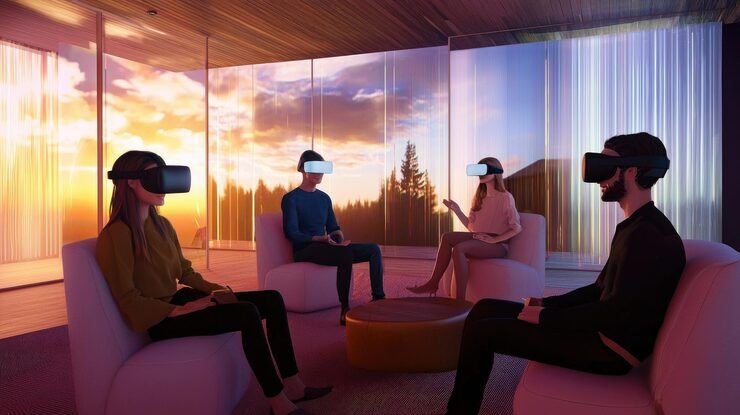
VR scene optimization is the process of improving the performance, visual quality, and responsiveness of virtual reality environments. It involves managing 3D models, textures, lighting, animation, physics, and rendering workloads so that a virtual environment can operate smoothly on its intended hardware.
Virtual reality applications are used in gaming, architectural visualization, industrial training, medical education, product prototyping, and interactive simulations. These applications often require a computer or headset to render separate views for both eyes while continuously tracking head movement.
Unlike conventional screen-based applications, virtual reality environments place strong demands on rendering performance and motion responsiveness. Poor optimization can cause dropped frames, visual stuttering, increased power consumption, and discomfort for some users.
Understanding VR Scene Optimization
A virtual reality scene may contain thousands of objects, complex materials, dynamic lights, particle effects, animated characters, and detailed environments. Each element contributes to the workload required to produce an image.
Optimization involves deciding which details need to be rendered, how they should be represented, and how computational resources should be distributed.
Common optimization techniques include:
Reducing unnecessary polygon complexity
Using level of detail models
Compressing textures appropriately
Reducing excessive draw calls
Applying efficient lighting techniques
Managing shadows and reflections
Using occlusion culling
Optimizing physics calculations
Profiling CPU and GPU performance
Maintaining stable frame delivery
The objective is not simply to make a scene less detailed. It is to preserve the visual information that matters while reducing unnecessary computational work.
How VR Rendering Works
A VR headset typically renders a slightly different view for each eye to create stereoscopic depth. The system must also respond to head movement and update the displayed image with minimal delay.
This process involves several components:
CPU processing: Handles application logic, scene management, animation updates, physics, and the preparation of rendering commands.
GPU processing: Handles graphics operations such as geometry processing, shading, lighting, and image generation.
Display and tracking systems: Present the rendered frames and track the user's position or orientation.
When any part of this pipeline becomes overloaded, the application may miss its frame deadline. Effective optimization therefore requires identifying the actual bottleneck rather than making random graphics changes.
Frame Rates and Performance Targets
VR applications commonly target refresh rates such as 72 Hz, 80 Hz, 90 Hz, or 120 Hz, depending on the headset and application.
The frame budget becomes shorter as the refresh rate increases.
| Refresh Rate | Approximate Time Per Frame |
|---|---|
| 72 Hz | 13.89 milliseconds |
| 80 Hz | 12.50 milliseconds |
| 90 Hz | 11.11 milliseconds |
| 120 Hz | 8.33 milliseconds |
These figures represent the available time for each refresh interval, not a guarantee that the application will meet the target. Actual rendering requirements depend on the headset, graphics pipeline, and runtime features.
Why VR Scene Optimization Matters
Optimization influences the quality of virtual reality experiences across entertainment, education, engineering, and professional simulation.
Visual Comfort and Responsiveness
Stable frame delivery and low motion-to-photon latency are important for a comfortable VR experience. When displayed images fail to keep pace with head movement, users may experience visual instability or discomfort.
Optimization helps reduce unnecessary rendering delays and supports more consistent interactions.
Hardware Compatibility
VR devices vary considerably in processing power, memory, display resolution, and thermal capacity.
Standalone headsets typically operate within tighter power and cooling limits than desktop VR systems. A scene designed for a high-performance computer may therefore require significant changes before it can run efficiently on a standalone device.
Industrial and Educational Applications
In architectural visualization, optimized scenes allow users to explore detailed buildings and interior spaces interactively.
In industrial training, optimization can help simulations remain responsive while displaying machinery, tools, safety procedures, and interactive equipment.
For engineering applications, efficient rendering can make complex spatial models easier to explore without overwhelming the target hardware.
Development Efficiency
Profiling and optimization can reduce debugging time by identifying expensive assets, shaders, lighting systems, and scripts.
A structured optimization process also helps development teams establish measurable performance targets early rather than discovering major problems near release.
Recent Developments in VR Optimization
Developments during 2025 and 2026 have continued to focus on efficient rendering, advanced graphics features, and tools for profiling immersive applications.
Advances in Unreal Engine
Epic Games released Unreal Engine 5.6 in June 2025. The release included improvements across rendering, animation, world building, and performance workflows.
For VR developers, the relevance of these improvements depends on the project configuration, target hardware, and supported rendering features. Desktop rendering enhancements do not automatically translate into equivalent performance gains on standalone headsets.
Unity XR Development
Unity continues to develop its XR Interaction Toolkit and OpenXR-related workflows for immersive applications. These tools support common interaction patterns and cross-platform development, while the Unity Profiler and rendering tools help developers identify performance bottlenecks.
During 2025 and 2026, cross-platform development remained important as teams worked across standalone headsets, PC-connected VR devices, and mixed-reality platforms.
Foveated Rendering
Foveated rendering is an important optimization technique in which rendering quality is concentrated around the user's focal region, while peripheral areas may receive less detail.
Fixed foveated rendering uses a predetermined quality pattern. Eye-tracked foveated rendering adjusts rendering according to the user's gaze when supported by the hardware and software.
The performance benefit varies according to headset capabilities, graphics settings, and application design.
OpenXR and Cross-Platform Development
OpenXR provides a common interface between XR applications and supported runtime systems. It can reduce the need to build separate application foundations for every compatible headset.
However, hardware-specific features, rendering extensions, tracking capabilities, and performance settings may still require platform-specific configuration and testing.
Laws, Standards, and Responsible Development
VR scene optimization is primarily a technical discipline, but VR applications can also be affected by accessibility, privacy, consumer protection, intellectual property, and product safety requirements.
Privacy and Eye-Tracking Data
Some headsets collect information about gaze direction, movement, room geometry, and other interactions. Eye-tracking information can be sensitive because it may reveal patterns of attention or behavior.
Developers should follow applicable privacy requirements, including relevant data-protection laws in the regions where an application operates.
For example, the European Union's General Data Protection Regulation may apply when an application processes personal data within its scope. Developers should minimize unnecessary data collection, explain relevant data practices, and implement appropriate security measures.
Accessibility and User Comfort
VR applications should consider users with different mobility, sensory, and accessibility needs.
Useful design considerations include:
Adjustable movement settings
Seated and standing modes where practical
Readable interface text
Clear visual feedback
Alternative interaction methods
Comfort options for artificial locomotion
Adjustable visual effects
These features can improve usability, although the appropriate design depends on the application's purpose and target audience.
Intellectual Property and Software Licensing
VR projects frequently use 3D models, textures, sound effects, shaders, and third-party software libraries.
Developers should confirm that these assets are appropriately licensed for their intended use. Optimization does not remove copyright or licensing obligations.
Tools and Resources for VR Scene Optimization
Several development tools support scene profiling, rendering analysis, asset management, and cross-platform testing.
Unity Development Tools
Unity provides a range of tools for VR application development, including:
Unity Profiler: Measures CPU, GPU-related, memory, and other performance indicators.
Frame Debugger: Helps examine rendering events and draw calls.
Universal Render Pipeline: Provides configurable rendering features for different hardware targets.
XR Interaction Toolkit: Supports common VR interactions.
OpenXR Plugin: Enables development for compatible XR runtimes.
The usefulness of individual tools depends on the Unity version, render pipeline, and target headset.
Unreal Engine Development Tools
Unreal Engine provides tools for examining scene performance and rendering workloads.
Unreal Insights: Supports performance tracing and analysis.
Stat commands: Display runtime performance information.
GPU Visualizer: Helps identify expensive GPU rendering passes.
Nanite: Supports detailed virtualized geometry on compatible platforms, although support and suitability must be checked for the intended VR device.
OpenXR support: Provides a foundation for compatible VR applications.
Developers should verify which rendering features are supported by their target hardware rather than assuming desktop features are available on every headset.
Performance Testing Checklist
| Metric | What to Examine |
|---|---|
| Frame time | Time required to produce each frame |
| CPU workload | Scripts, physics, and rendering preparation |
| GPU workload | Shading, lighting, geometry, and effects |
| Memory usage | Textures, meshes, and runtime allocations |
| Draw calls | Number and organization of rendering commands |
| Thermal behavior | Performance changes during extended use |
| Visual quality | Texture clarity, lighting, and geometric detail |
Testing should take place on the actual target headset whenever possible. Desktop previews alone cannot reliably reproduce the thermal, memory, and rendering limitations of standalone devices.
Frequently Asked Questions
What is VR scene optimization?
VR scene optimization is the process of improving rendering performance and responsiveness while maintaining suitable visual quality. It includes reducing unnecessary geometry, optimizing textures, managing lighting, and profiling CPU and GPU workloads.
Why is frame rate important in virtual reality?
A stable frame rate helps the headset display images consistently with user movement. Missed frames and excessive latency can make interactions feel less responsive and may contribute to discomfort.
What is the difference between LOD and occlusion culling?
Level of detail, or LOD, uses different versions of an object according to its distance or visual importance. Occlusion culling prevents objects hidden behind other objects from being rendered when the relevant technique is supported and correctly configured.
Is Unity or Unreal Engine better for VR optimization?
Neither is universally better. Both support VR development and provide profiling tools. The appropriate choice depends on the team's experience, project requirements, rendering needs, platform support, and target hardware.
How can developers test VR performance accurately?
Developers should profile the application on the intended headset, monitor frame times, examine CPU and GPU workloads, test memory usage, and run extended sessions to identify thermal or performance problems.
Conclusion
VR scene optimization is essential for creating responsive and visually consistent virtual reality applications. Efficient geometry, texture management, lighting, culling, and performance profiling help developers balance visual quality with the limitations of different headsets.
Developments in real-time rendering, OpenXR, foveated rendering, and engine profiling tools continue to expand the options available to VR developers. However, improvements depend on hardware compatibility and appropriate implementation.
A reliable optimization workflow begins with measurable performance targets, identifies the most significant bottlenecks, and tests changes on the actual target device. By combining technical profiling with careful visual design, developers can create VR scenes that use computing resources efficiently while maintaining a clear and comfortable interactive experience.