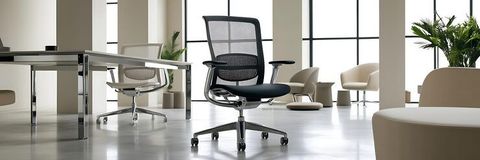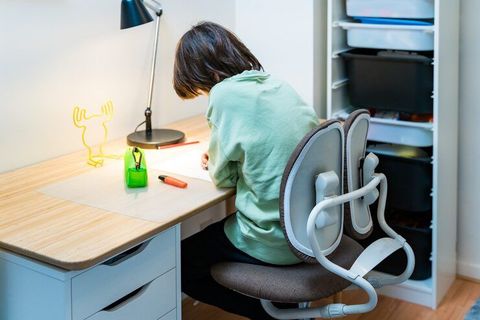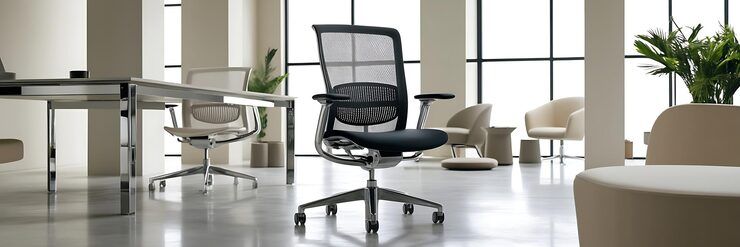
Smart office chair concepts combine ergonomic design, adjustable seating mechanisms, sensors, and digital technology to improve how people sit and interact with their workspaces. Traditional office chairs primarily provide seating support, while smart office chairs may include electronic controls, posture reminders, pressure sensors, movement tracking, and personalized adjustment settings.
These concepts have developed alongside changes in workplace design. Many people spend substantial periods working at computers, attending virtual meetings, studying, or performing administrative tasks. As a result, seating design increasingly considers adjustability, movement, user comfort, and compatibility with modern office equipment.
A smart office chair does not necessarily need advanced electronics. Some designs use mechanical adjustments and simple reminders, while others connect to mobile applications or workplace systems. The defining idea is to make seating more responsive to the user's needs and working environment.
Main Components of a Smart Office Chair
Smart seating can combine several technologies and physical features:
Ergonomic support: Adjustable lumbar support, seat depth, armrests, and backrest angles.
Posture monitoring: Sensors that estimate sitting positions or detect changes in pressure distribution.
Movement reminders: Timely prompts encouraging users to stand, stretch, or change positions.
Personalized settings: Stored adjustment preferences for different users.
Connectivity: Bluetooth or other communication technologies for transferring selected data.
Environmental compatibility: Integration with height-adjustable desks, workspace controls, and meeting-room equipment.
Not every chair includes all these components. The appropriate combination depends on its intended users, working conditions, technical complexity, and maintenance requirements.
How Smart Seating Technology Works
A smart chair may use pressure sensors in the seat or backrest to estimate how a person distributes their weight. A connected controller processes this information and may send a reminder when a configured condition is detected. Some designs also use motion sensors to identify periods of limited movement.
The system's accuracy depends on sensor placement, calibration, software design, and the information being measured. Pressure distribution can indicate a change in sitting position, but it does not automatically provide a complete or medically reliable assessment of posture.
Smart chair concepts therefore work best when technology supports adjustable physical design rather than attempting to replace it.
Why Smart Office Chairs Matter Today
Supporting Modern Work Environments
Hybrid work, home offices, shared workspaces, and computer-based occupations have increased interest in adaptable seating. A chair used by several employees may need quick adjustment, while a home office chair may need to fit a smaller room and support different activities throughout the day.
Smart features can help users understand their sitting habits and make routine adjustments. For example, a reminder system may encourage a person to change position after a prolonged period at a desk.
However, a chair cannot independently correct every workplace ergonomic problem. Desk height, monitor placement, keyboard position, lighting, and regular movement also influence the overall working environment.
Potential Benefits for Different Users
Smart office chair concepts may be relevant to:
Office employees who spend extended periods working at computers.
Remote workers creating ergonomic home workspaces.
Employers planning adjustable workstations and shared offices.
Designers developing connected furniture and workplace technology.
Facilities teams responsible for seating maintenance and workspace planning.
Researchers studying sitting behavior and human interaction with furniture.
The potential benefits include easier adjustments, greater awareness of sitting habits, and more consistent workstation setup. Actual results depend on the chair's design, individual preferences, and how the technology is used.
Common Problems These Concepts Address
Workplace challenge | Relevant chair feature | Practical purpose |
|---|---|---|
Poor lumbar support | Adjustable backrest support | Helps accommodate different body shapes |
Incorrect seat depth | Sliding seat mechanism | Improves fit between the seat and legs |
Extended periods without movement | Configurable reminders | Encourages position changes |
Multiple users sharing one chair | Saved adjustment profiles | Simplifies repeated setup |
Unnoticed changes in sitting position | Pressure or motion sensors | Provides basic behavioral feedback |
Difficult workstation coordination | Desk and chair compatibility | Supports a more consistent setup |
These features address different problems, so they should be evaluated separately rather than treated as interchangeable indicators of chair quality.
Recent Trends in Smart Office Chair Design
Smart office chair development continues to bring together ergonomic engineering, connected devices, and workplace data. Recent design discussions focus on making seating adjustable, easier to maintain, and more responsive to everyday working patterns.
Sensor-Based Ergonomic Monitoring
Pressure sensors and movement detection are important concepts in intelligent seating. A chair may identify prolonged inactivity or changes in how weight is distributed across its seat. Its software can then provide a reminder or display a basic summary of sitting patterns.
During 2025 and 2026, connected workplace technology and data-informed office planning have remained relevant areas of product development. However, a trend in smart furniture does not establish that every chair uses these features or that sensor feedback improves health outcomes.
Personalized Adjustment and Adaptive Support
Another design direction involves making chair adjustments easier to repeat. A concept may store preferred seat height, armrest position, or recline settings for different users.
More advanced designs may explore motorized adjustments or adaptive back support. These systems must account for user comfort, mechanical reliability, noise, power consumption, and safe operation. Personalization should remain optional, particularly in shared workplaces.
Integration With Smart Workspaces
Smart chairs can be designed to complement sit-stand desks, meeting-room systems, and workplace management platforms. For example, a connected workspace might coordinate desk-height presets with a user's preferred seating setup.
This integration raises practical questions about compatibility and data protection. A chair should remain usable when its application is unavailable, its battery is depleted, or its wireless connection is interrupted.
Sustainability and Product Durability
Furniture sustainability is another relevant design consideration. Designers can consider durable upholstery, replaceable electronic modules, repairable mechanisms, recyclable materials, and lower-emission components.
The ANSI/BIFMA e3-2024 Furniture Sustainability Standard provides a framework for evaluating sustainability in furniture. It is relevant to broader furniture design rather than a guarantee that every smart chair meets particular environmental criteria.
Emerging Design Priorities
Design trend | Potential application | Important consideration |
|---|---|---|
Sitting-pattern sensors | Inactivity reminders | Measurement accuracy |
Stored user profiles | Shared office seating | Data privacy |
Motorized adjustments | Easier seating changes | Mechanical safety |
Wireless connectivity | Workspace integration | Connection reliability |
Modular electronics | Component replacement | Repairability |
Sustainable materials | Lower environmental impact | Verifiable material claims |
These are design directions and potential applications, not a claim that every feature became widely available during the past year.
Laws, Regulations, and Safety Standards
Smart office chairs may be affected by workplace ergonomics guidance, furniture safety standards, electrical safety requirements, privacy legislation, and environmental rules. The applicable requirements depend on the country, the chair's features, and whether it is used in a home or workplace.
Workplace Ergonomics in the United States
The US Occupational Safety and Health Administration (OSHA) provides guidance on computer workstations, including chair adjustment, back support, armrests, seat dimensions, and workstation positioning.
OSHA's general workstation guidance explains that chair fit and adjustability matter because users have different physical needs. It also emphasizes coordinating the chair with the desk, monitor, and keyboard.
OSHA states that there is no single specific federal standard covering computer workstations as a whole. Other workplace requirements may still apply, depending on the circumstances. Employers should distinguish general ergonomic guidance from binding legal obligations.
Office Chair Safety and Performance
The Business and Institutional Furniture Manufacturers Association (BIFMA) develops furniture performance standards. ANSI/BIFMA X5.1-2017, reaffirmed in 2022, addresses general-purpose office chair testing.
Relevant testing considerations include structural strength, stability, and durability. For smart chairs, designers must also evaluate electronic components, moving mechanisms, cables, batteries, and potential pinch points.
A standard's existence does not automatically mean that a specific chair has been tested or certified against it. Product documentation should identify the applicable standard and the actual testing status.
Regulations in India and Other Markets
In India, workplace safety obligations depend on the applicable central and state legal framework, the type of establishment, and relevant rules in force. Organizations should check the current requirements applicable to their workplaces rather than assuming that one chair-specific rule covers every situation.
In the European Union, connected chairs may raise additional questions if they contain radio equipment, electronic components, or systems that process personal data. Applicable product-safety, radio-equipment, and data-protection requirements depend on the product's design and intended use.
Privacy and Personal Data
A smart chair that collects identifiable sitting patterns or links them to an employee account may process personal data. Organizations should consider:
What information the chair collects and why.
Whether the data can identify an individual.
Who can view or export the information.
How long records are retained.
Whether users can disable optional monitoring.
How connected devices are protected against unauthorized access.
Collecting less data and explaining monitoring clearly can reduce privacy risks. Employers should also consider whether individual-level tracking is necessary or whether aggregated workspace information would meet the intended purpose.
Tools and Resources for Smart Office Chair Planning
Designers, office managers, and individual users can use ergonomic assessment methods, adjustment checklists, and technology planning tools to evaluate smart seating concepts.
Ergonomic Assessment Tools
An ergonomic workstation checklist helps identify problems with seat height, back support, armrest position, desk clearance, and monitor placement. OSHA's computer workstation guidance is a useful reference for evaluating these factors.
A practical assessment should consider:
Whether the user's feet are supported by the floor or a footrest.
Whether the backrest supports the lower back comfortably.
Whether the seat depth allows adequate thigh support without pressing against the back of the knees.
Whether the armrests allow relaxed shoulders.
Whether the chair can move freely around the workstation.
Digital Planning and Monitoring Tools
Several categories of digital tools can support smart chair development and evaluation.
CAD software: Helps designers create chair components, adjustment mechanisms, and product assemblies.
Sensor development platforms: Support prototyping with pressure sensors, motion sensors, and microcontrollers.
Mobile application frameworks: Allow developers to create interfaces for reminders, settings, and sitting-pattern summaries.
Spreadsheet templates: Help compare ergonomic features, maintenance requirements, durability tests, and environmental criteria.
Workstation assessment checklists: Help organizations review chair fit and the arrangement of computer equipment.
Digital tools should support practical evaluation rather than replace physical testing or professional ergonomic assessment.
A Simple Smart Chair Evaluation Checklist
Evaluation area | Questions to consider |
|---|---|
Adjustability | Can users change seat height, depth, and backrest position? |
Sensor performance | Does the system measure the intended behavior reliably? |
Connectivity | Does the chair remain usable without an application? |
Data protection | Are collection, storage, and access clearly explained? |
Durability | Can mechanical and electronic parts withstand regular use? |
Maintenance | Are replacement parts and repair procedures documented? |
Accessibility | Can people with different physical needs use the controls? |
This checklist can be adapted for prototype development, office planning, and product evaluation.
Frequently Asked Questions
What makes an office chair smart?
A smart office chair combines ergonomic seating with technology such as sensors, electronic adjustments, activity reminders, or connected settings. Some designs include only one or two of these features, while others combine several functions.
Can a smart office chair improve posture?
A smart chair may help users notice changes in sitting position and make adjustments. However, sensors cannot guarantee correct posture, and a single position is not ideal for every person throughout the day. Appropriate chair fit, workstation arrangement, and regular movement remain important.
What features should an ergonomic smart chair include?
Useful features may include adjustable seat height and depth, suitable lumbar support, adjustable armrests, a stable base, and a backrest that supports different sitting positions. Electronic reminders and saved profiles can provide additional convenience, but they should not replace essential ergonomic adjustments.
Are smart office chairs suitable for shared workplaces?
Yes. Shared workplaces can benefit from adjustable components and stored seating preferences. However, personal profiles should be managed carefully, and chairs should allow users to change settings without depending entirely on an application or account.
Which safety standards are relevant to smart office chairs?
ANSI/BIFMA X5.1 addresses testing for general-purpose office chairs in the United States. Depending on the product, additional electrical, radio-equipment, chemical, environmental, or data-protection requirements may apply. The relevant requirements depend on the chair's construction, features, and intended market.
Conclusion
Smart office chair concepts bring together ergonomic seating, sensors, adjustable mechanisms, and connected technology to address the changing needs of modern workspaces. Their potential applications include personalized seating settings, sitting-pattern reminders, shared-office adjustments, and integration with smart desks.
Successful designs must balance technological features with physical comfort, durability, safety, accessibility, and privacy. Sensors and applications can provide useful feedback, but they cannot replace a well-fitted chair or an appropriately arranged workstation.
As connected furniture develops, careful evaluation of ergonomic principles, product testing, data practices, and applicable regulations will remain central to creating practical smart office seating.